How to record GPS tracks with your Apple Watch — no iPhone needed
The NomadTracks watch app is fully standalone: it records GPS, heart rate and elevation on the watch itself, so the iPhone can stay at camp, in the car, or at home. Recordings sync back into your library and can be saved to Apple Health as workouts.
Get NomadTracks free — iOS & Android
Install the watch app
NomadTracks for Apple Watch installs automatically with the iPhone app (or via the Watch app under Available Apps). GPS-capable models record without the phone entirely.
Start a recording on the wrist
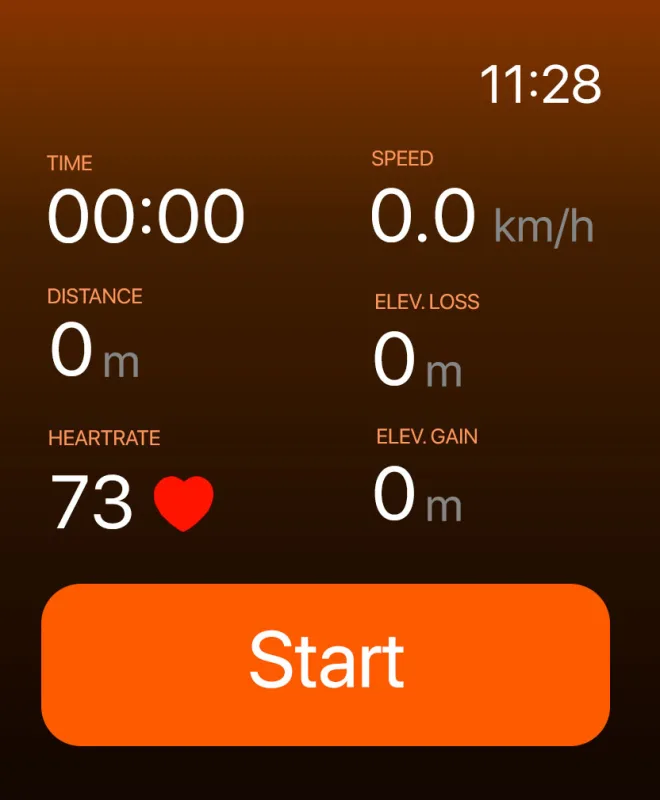
Open NomadTracks on the watch and tap the big orange Start button. Time, speed, distance, elevation gain/loss and heart rate begin recording immediately.
Customize your data fields
Choose which metrics the watch face shows during recording — heart rate for training days, elevation gain for mountain days. Pages of fields are fully configurable.
Stop and review
End the recording on the watch. The track — including the heart-rate series — syncs to the iPhone app, where you get the full map and charts. If enabled, the session is also saved to Apple Health as a workout.