The complete tour
Every NomadTracks feature, explained
A precise GPS recorder, a personal map library and a privacy-first sync system — for iPhone, iPad, Android, Mac and Apple Watch.
Recording
High-precision GPS recording
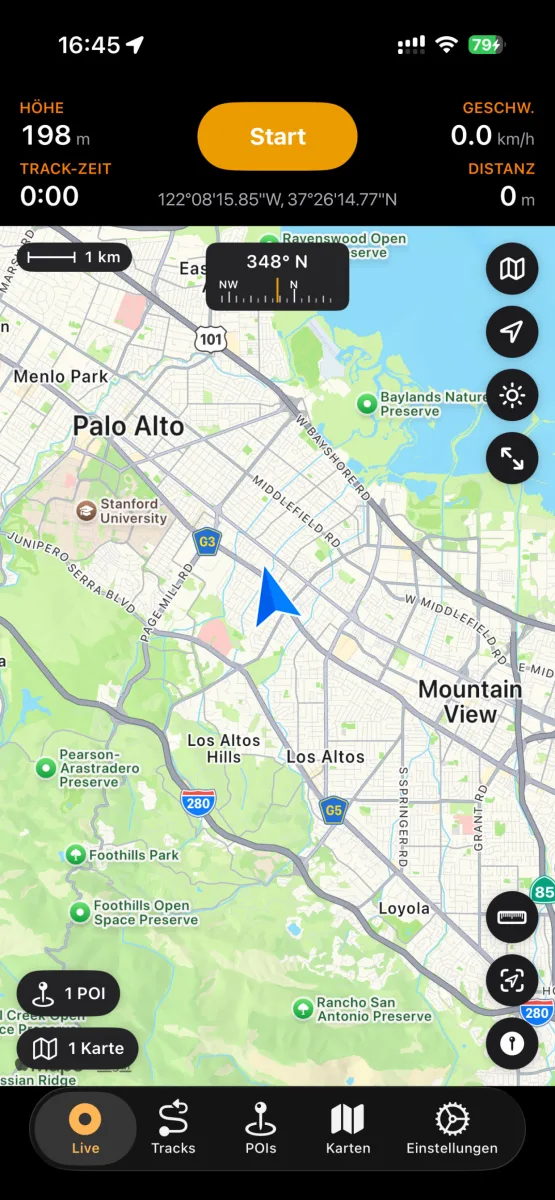
Start a recording and put the phone away — NomadTracks keeps a precise log of where you went and how high you climbed.
- GPS tracks with accurate elevation data
- Live stats on the Lock Screen and in the Dynamic Island
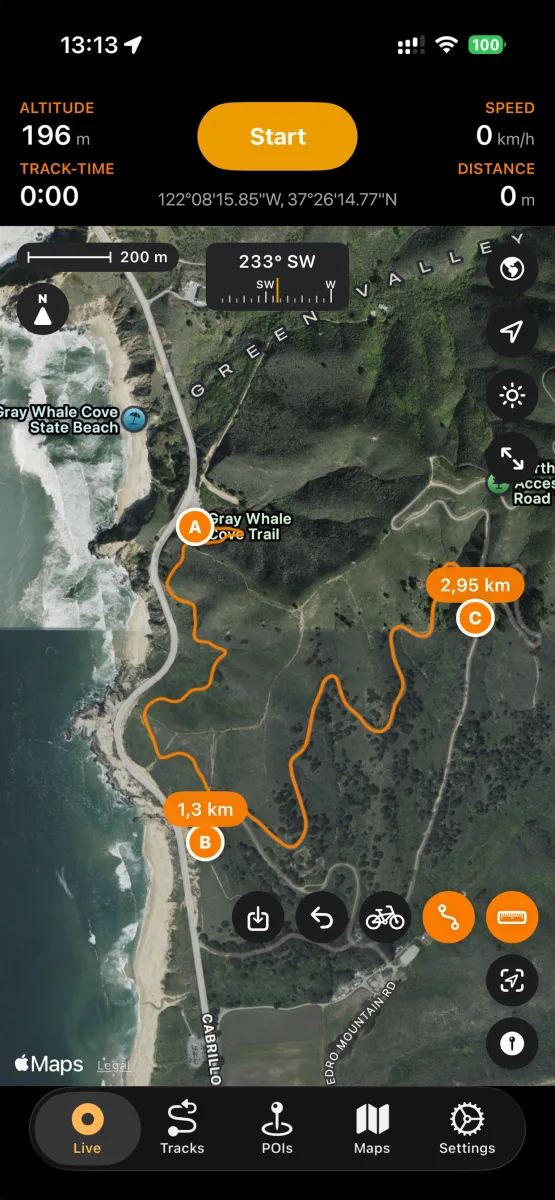
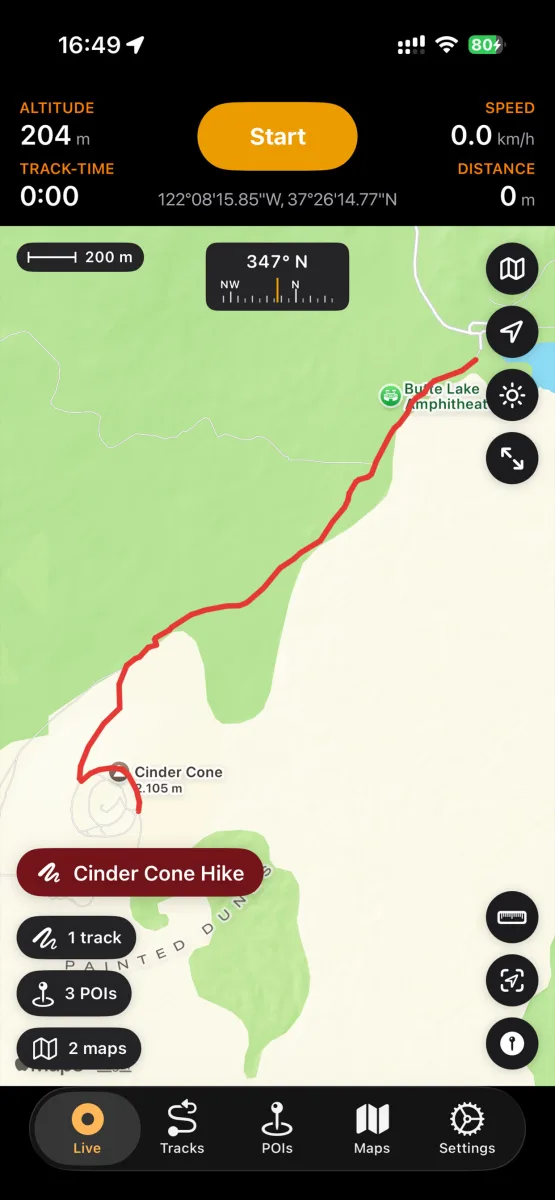
- Live map with scale bar, compass and coordinates
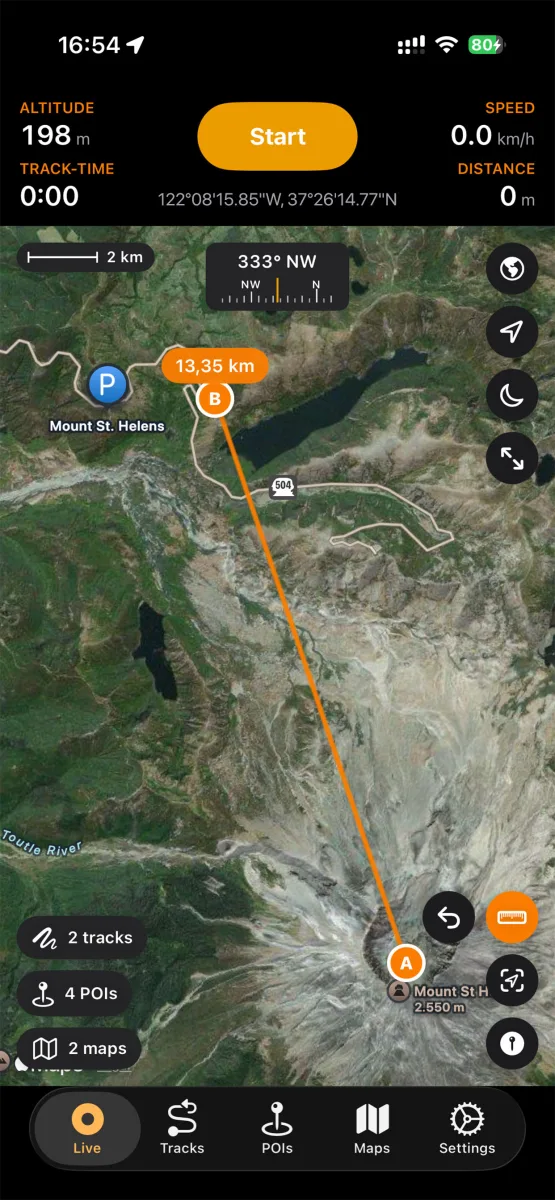
- Distance measurement directly on the map
- Built for 25+ activities — hiking, biking, paddling, skiing and more
- Metric, imperial and nautical units
Points of interest
Pin what matters out there
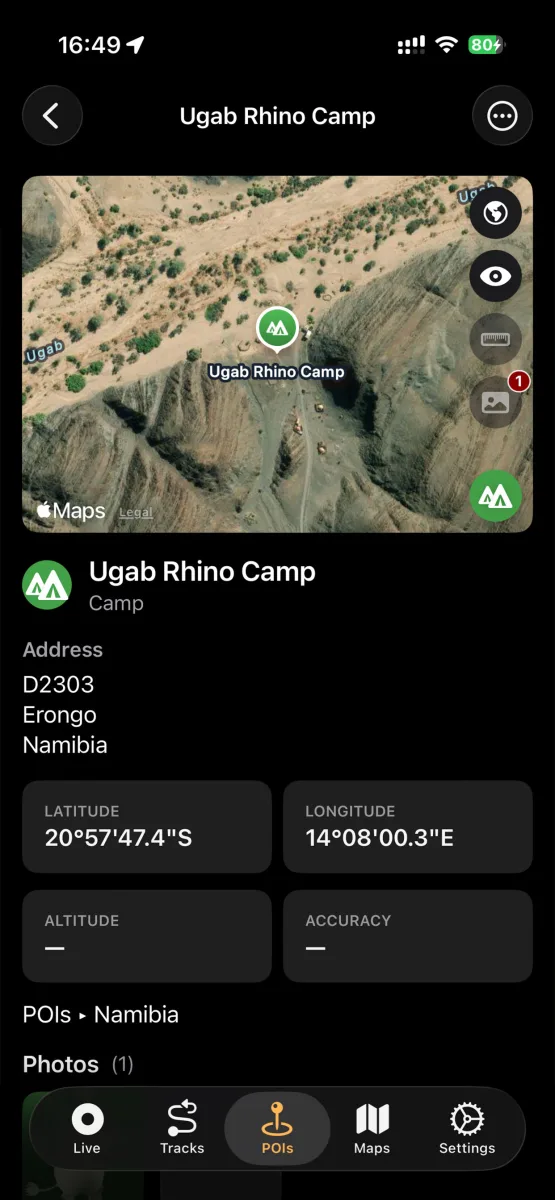
Campsites, water sources, trailheads, viewpoints — POIs in NomadTracks are little field records, not just dots.
- Categories, colors, photos, addresses and notes
- Add POIs manually with lon/lat or UTM coordinates
- Create a POI straight from a photo's geotag
- Project a POI from where you stand — enter a compass azimuth and a distance and the point lands on the map, for marking something you can see but can't reach
- Navigate to any POI with a live bearing and distance, on the phone or on the Apple Watch
- Organize POIs in folders, search and filter them
Custom maps
Your paper maps, alive on screen
The feature that sets NomadTracks apart: turn any map you own into a live, position-aware overlay.
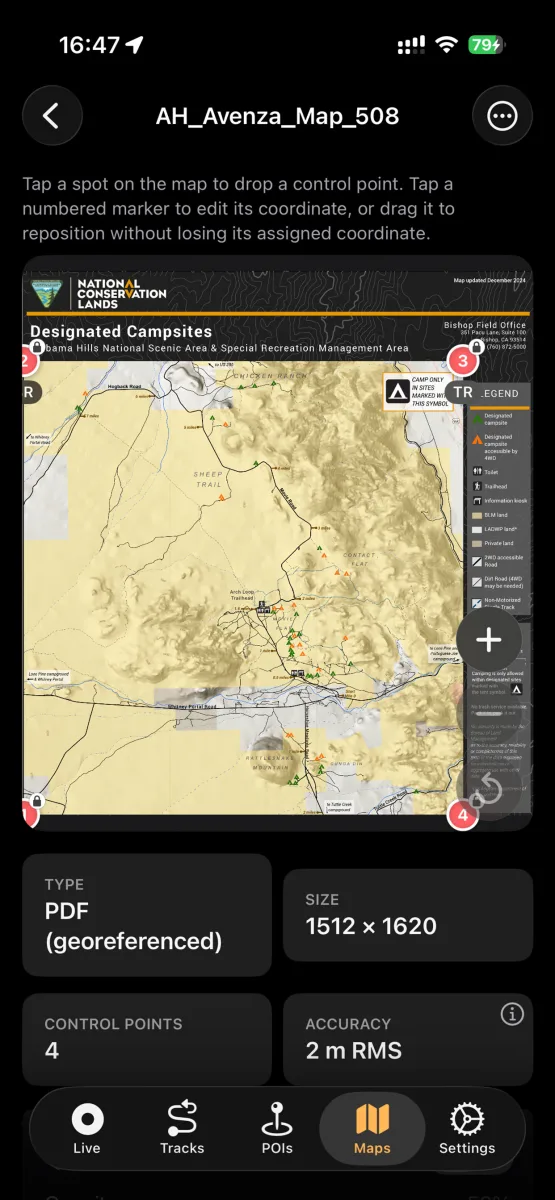
- Import georeferenced PDFs and TIFFs (e.g. Avenza-style maps)
- Photograph a paper, park or topographic map straight from the app — the built-in scanner hands the shot to Straighten automatically, so a photo taken at an angle still lands square
- Set control points and see the alignment accuracy (RMS)
- Choose the fit the sheet deserves: Automatic, Affine, Polynomial, or thin-plate spline rubber-sheeting for old or warped paper
- Use the overlay fully offline with your live GPS position on it
- Custom MapLibre basemaps for self-hosters
Route planning — Pro
Plan it indoors, follow it outdoors
Tap waypoints and NomadTracks snaps the route to real roads and trails, with the numbers you need to judge the day.
- Routing along real roads and hiking trails
- Distance, duration and elevation for every route
- Save a planned route as a track and follow it later
- Plan on Apple Maps, Google Maps, OpenStreetMap or satellite
Ghostrider
Race the version of you that came this way last time
Start a track you have walked or ridden before and a second dot sets off with you — your own earlier recording, moving exactly as you did.
- See at a glance whether you are ahead or behind, and by how much
- Your old run replays on moving time, so the long lunch you took last time doesn't hand you a free lead
- Works with any recording of that track — no setup, no account, nothing uploaded
- On iPhone the gap shows on the Lock Screen and on the Apple Watch too
Measuring & coordinates
Distances, areas and grid references
Tap points on the map with the ruler and NomadTracks measures the line — and, from three points on, the area it encloses.
- Area measurement: close the ruler into a shape and read its area — m², hectares or km² in metric, square feet, acres or square miles in imperial. Part of the free app, no subscription (how it works)
- Computed on the curved surface of the Earth, not on a flat map, so large areas stay right
- Coordinates in five formats: decimal degrees, DMS, degrees and decimal minutes (DM), UTM and MGRS — pick the one your map or team uses and it shows everywhere: the live map, GPS info, POI details and copied coordinates
- Enter a position as lon/lat or UTM to drop a POI exactly where you need it
- With Pro, measure along real roads and trails instead of in straight lines
Library
Years of adventures, instantly findable
Tracks, POIs and custom maps live in a real library with folders, search, sorting and filters.
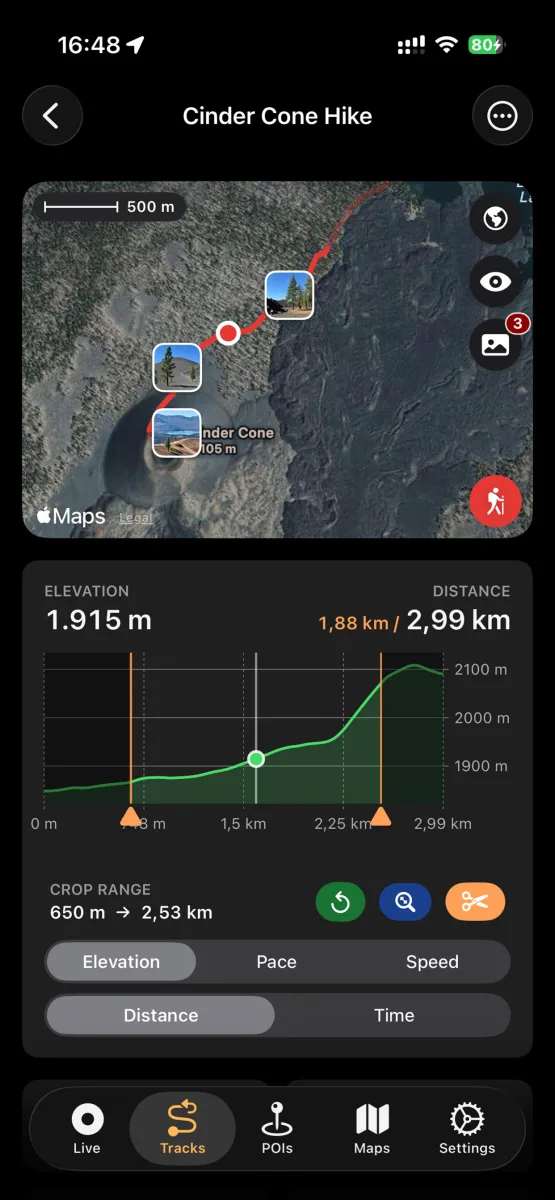
- Elevation, speed and pace charts for every track
- Edit, recolor, trim and crop tracks
- Attach photos that appear right on the map
- Recently Deleted with 30-day recovery
- Track sections: split a track — say, the days of a multi-day trip — into sections, each in its own colour with its own distance, time and climb
Import & export
Open formats, zero lock-in
Your tracks belong to you. NomadTracks speaks the formats every other GPS tool understands.
- Import tracks and POIs from GPX, GeoJSON or bundles
- Export as GPX, GeoJSON or bundles with photos and metadata
- Open any location in Apple Maps or Google Maps
- Share via AirDrop, Mail, Messages and iCloud Drive
Apple Watch
Leave the phone at camp
The NomadTracks watch app records on its own — no iPhone required on the trail.
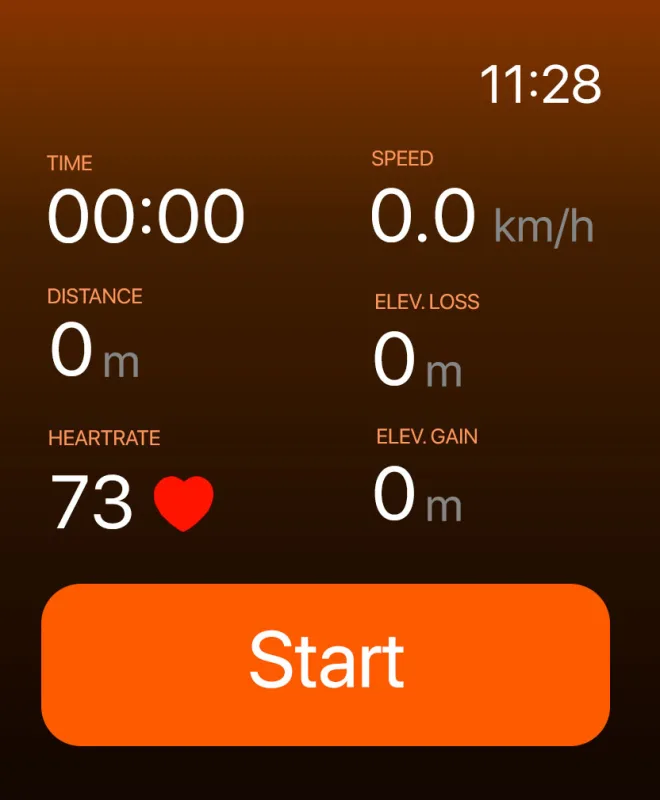
- Standalone GPS, heart rate and elevation recording
- Customizable data fields on the watch face
- Workouts saved to Apple Health
- Tracks sync back to your iPhone library
Offline basemaps
Download the map before you lose the signal
Your own maps already work offline. So does the basemap underneath them — pick an area, download it, and the map keeps drawing where there is no bar of reception at all.
- Download basemap areas ahead of a trip and use them fully offline
- Choose your basemap: NomadTracks Map (built in, free), Apple Maps, Google Maps, OpenStreetMap
- Search the live map for a place by name — the result drops a pin you can keep as a POI
- Point the app at your own MapLibre style or a PMTiles archive if you self-host
- A scale bar, compass and live coordinates on the map at all times
Sync & backup
Synced everywhere. Stored nowhere else.
Your library syncs through storage you choose. Diagnostic and usage data is processed separately to operate and improve the app; see the privacy policy.
- iCloud sync across iPhone, iPad and Mac — free
- Synology NAS sync for home-server setups — free
- Google Drive sync on Android — free
- Dropbox sync (Pro)
- Automatic and manual backups of your whole library
- iPhone shares its GPS position with Wi-Fi-only iPads
Try every feature on your next hike
NomadTracks is free on the App Store and Google Play — Pro is optional, your library remains yours.