How to plan a route that follows real trails (Pro)
Route planning (a NomadTracks Pro feature) turns the map into a drawing board: tap a few waypoints and the route snaps to actual roads and hiking trails, with live distance, duration and elevation totals. Plan the evening before, then follow the line the next morning.
Get NomadTracks free — iOS & Android
Start a new route
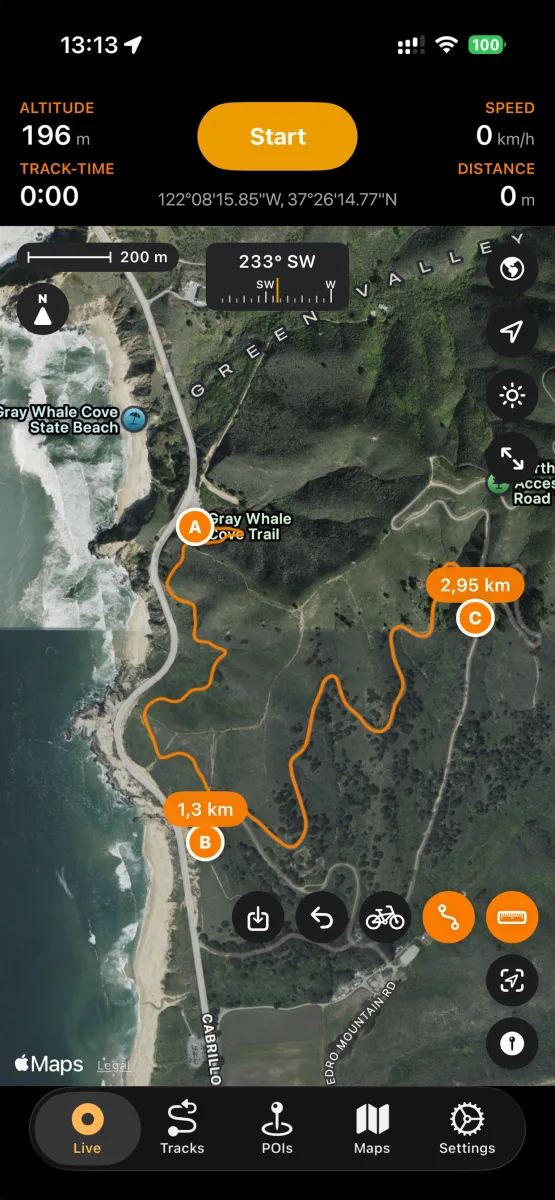
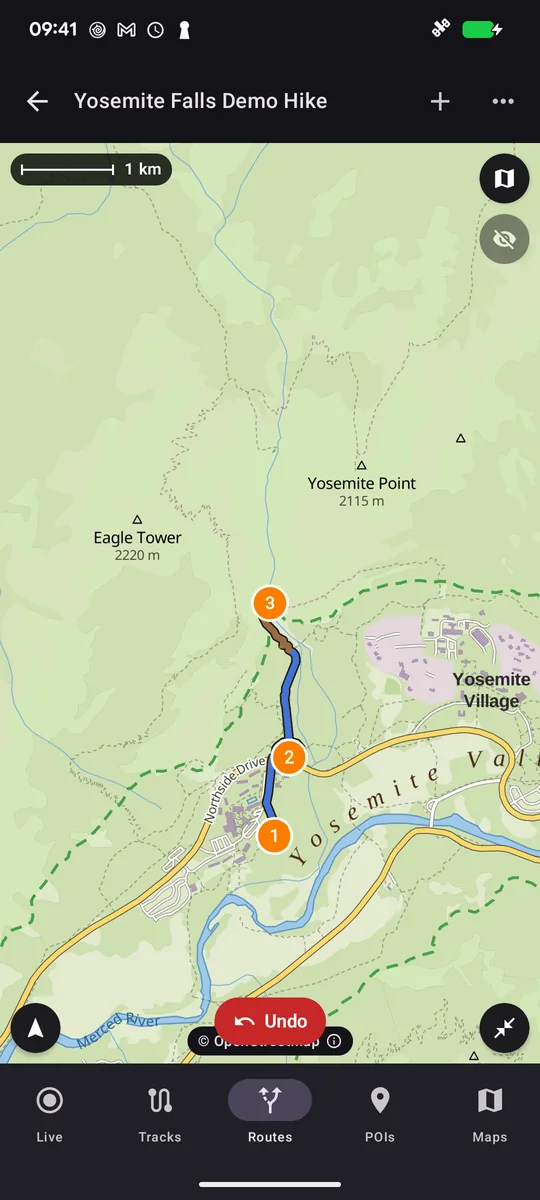
On the map, enter route-planning mode and tap your starting point — waypoint A appears. Each further tap adds a waypoint, and the route between them snaps to the road and trail network.
Pick the right profile
Choose between profiles like walking and cycling — the routing engine picks appropriate paths (a bike route avoids stairs; a hiking route happily takes the singletrack).
Read the numbers
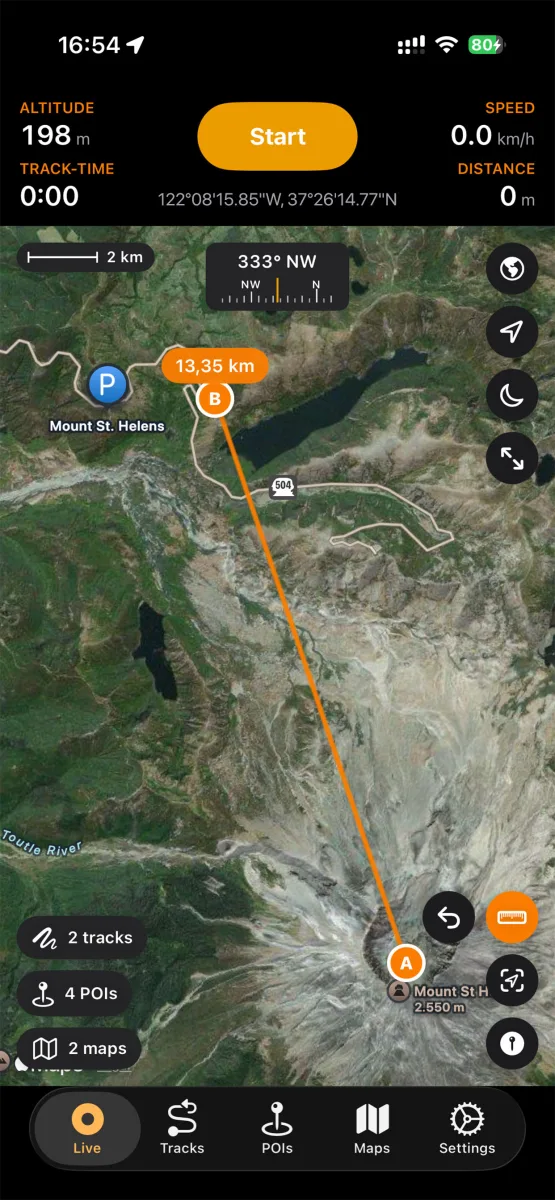
Distance labels appear along the route, and the summary shows total distance, estimated duration and elevation gain — enough to judge whether the loop fits the daylight you have left.
Adjust by dragging
Drag any waypoint to reroute, or add intermediate waypoints to force the route over a specific pass or past a specific hut. Each change recalculates instantly.
Save as a track and follow it
Happy with the plan? Save the route as a track. It lands in your library like a recording, syncs to your devices, and on the trail you simply keep your live position on the line. You can record your actual track simultaneously and compare afterwards.
Android walkthrough: a Yosemite demo hike
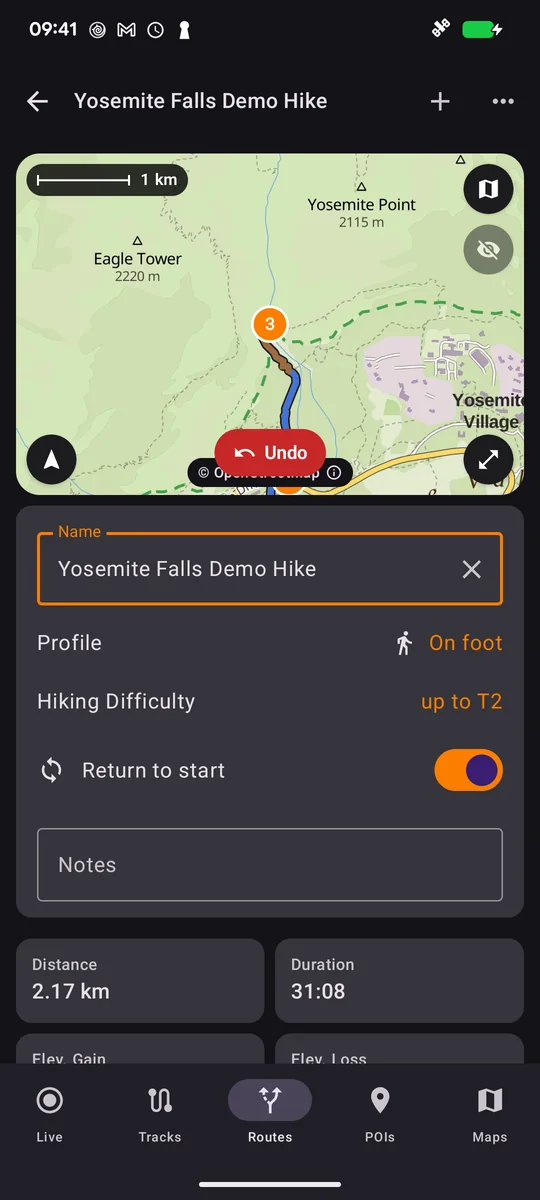
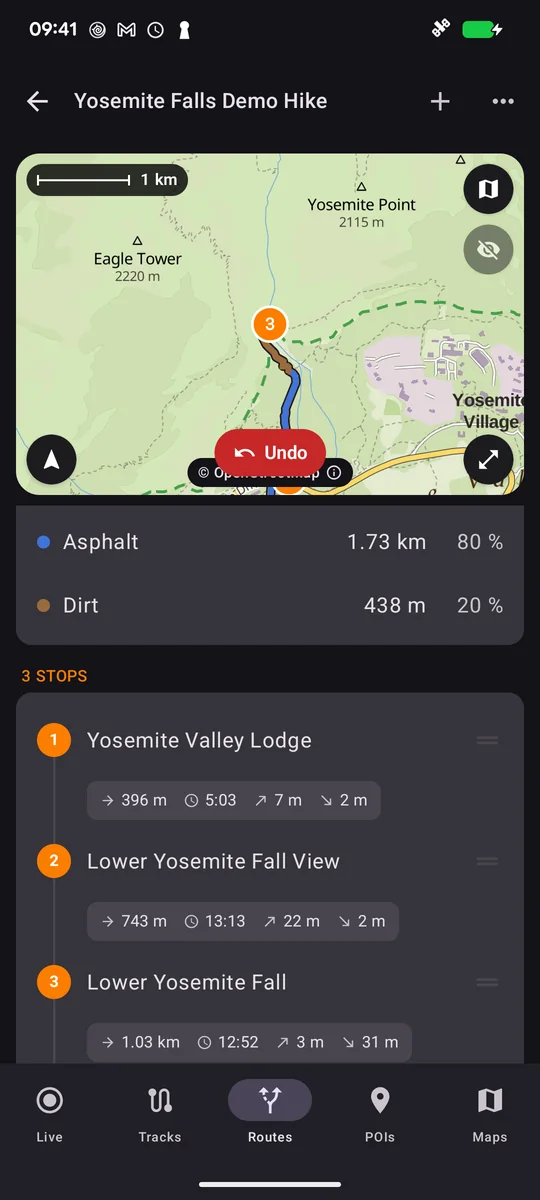
Open Routes and create a route. Add named stops with search, select On foot and the suitable hiking difficulty, and enable Return to Start for a loop. Review the stop list and save with a useful name. This 2.17 km example is an app demonstration, not a verified hiking recommendation.
Watch the Android walkthrough on YouTube with English narration and captions.