How to share your iPhone's GPS with a Wi-Fi-only iPad
Here's the thing most people discover the hard way: only cellular iPads have a real GPS receiver. Wi-Fi-only iPads have none — with no data connection they can't place you on a map at all, which is exactly when you're out on the water or off the grid and need it most. It's the single most common reason a big beautiful iPad screen sits useless on the chart table.
NomadTracks solves it without buying a new iPad: your iPhone (which always has GPS) shares its live position to the iPad over the local network, and the iPad's full screen becomes the live map — blue dot, recording view and your own georeferenced map overlays, all working offline. One GPS, two screens.
Get NomadTracks free — iOS & Android
Install NomadTracks on both devices
It's the same free app on iPhone and iPad. Sign both into the same Apple ID / iCloud so your library and custom maps are already in sync when you start.
Enable position sharing on the iPhone
In NomadTracks settings, turn on GPS sharing. The iPhone becomes the position source for your other devices on the same local network — no cellular plan, no account, no internet required; it works over a private Wi-Fi or a personal hotspot.
Receive on the iPad
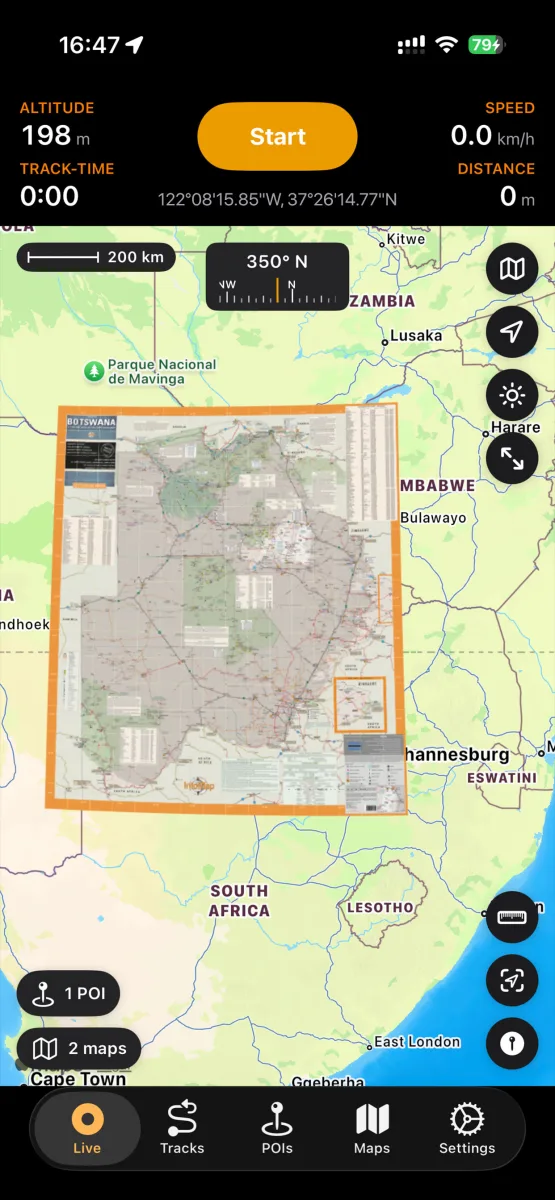
Open NomadTracks on the iPad and it picks up the shared position: the live blue dot, the track-recording view, and every custom map overlay, rendered across the whole screen. The iPad has no GPS of its own — it's mirroring the iPhone's fix in real time.
Use it where the big screen wins
Below deck as a chart table with a scanned georeferenced chartlet while the iPhone sits by a window for signal; on the 4x4 dashboard with the national-park map while the phone stays in its mount. Great for sailing, overlanding and armchair route planning at home — a GPX someone sent you is far easier to judge once it is in the library and spread across the big screen.
FAQ
Does a Wi-Fi-only iPad have GPS?
No. Only cellular (Wi-Fi + Cellular) iPad models contain a GPS receiver; Wi-Fi-only models have none and cannot determine your location on their own. The workaround is to feed them a position from a device that does have GPS — which is exactly what NomadTracks does with your iPhone.
Can I use a Wi-Fi iPad for navigation without cellular?
Yes, with a source of GPS. NomadTracks shares your iPhone's live position to the Wi-Fi iPad over the local network, so the iPad shows your real-time location, records the track and displays your offline custom maps — all without the iPad having a SIM or data plan.
Does this need an internet connection?
No. The position is shared device-to-device over a local Wi-Fi network or the iPhone's personal hotspot — no internet, no account, no NomadTracks servers involved. Your custom maps are stored on-device, so the whole setup works with no signal at all.
Will the iPad record and keep the track too?
Your recording lives in your NomadTracks library and syncs through your own iCloud, so the track is there on both devices. The iPhone is the GPS source doing the recording; the iPad is the big live screen you read it on.
Is it cheaper than buying a cellular iPad?
Usually much cheaper — a Wi-Fi iPad is significantly less than the cellular version, and you skip the separate data plan. Since your iPhone already provides the GPS, the Wi-Fi model covers most outdoor and marine uses for free with NomadTracks.